Unpacking an UPX sample

Hi everyone! To(night)day, I will show you how to manually unpack a sample on the PMAT course of HuskyHacker using OllyDbg (and OllyDump plugin), ImportReconstructor, Detect It Easy and PE View. This is something outside of the scope of the PMAT course but, let’s do it anyway !!!
Before begin, I want to thank @hashp4 who helped me understand why repairing the Import Table is important to run a Portable Executable ;)
Aaaaand, it is my first post in english so don’t hesitate to contact me on discord(r3d_malz) to correct my english or my methods !
Introduction
Hi everyone! To(night)day, I will show you how to manually unpack a sample on the PMAT course of HuskyHacker using OllyDbg (and OllyDump plugin), ImportReconstructor, Detect It Easy and PE View. This is something outside of the scope of the PMAT course but, let’s do it anyway!!!
Before begin, I want to thank @hashp4 who helped me understand why repairing the Import Table is important to run a Portable Executable ;)
Aaaaand, it is my first post in english so don’t hesitate to contact me on discord(r3d_malz) to correct my english or my methods !
Wait, it is packed ??
With Detect It Easy, we can see that the Malware.Packed.exe.malz is packed (No way!! Thanks Captain Obvious). Okay, jokes on me, but, here we can see that the packer is UPX, the most common packer used for malwares! We can surely depack this sample with
1
upx -d Malware.Packed.exe.malz
but this is not the purpose of the post ;)
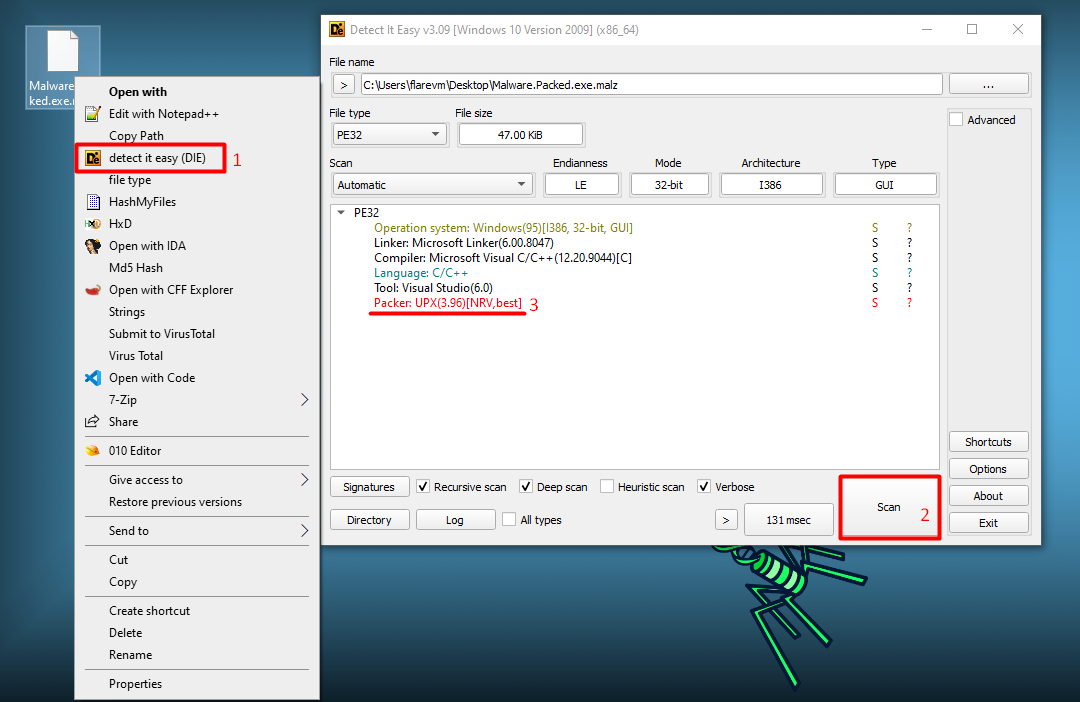
Thanks to Detect It Easy, we know that the sample is packed with UPX. But, with just a PE viewer tool on we could have gotten to the same point.
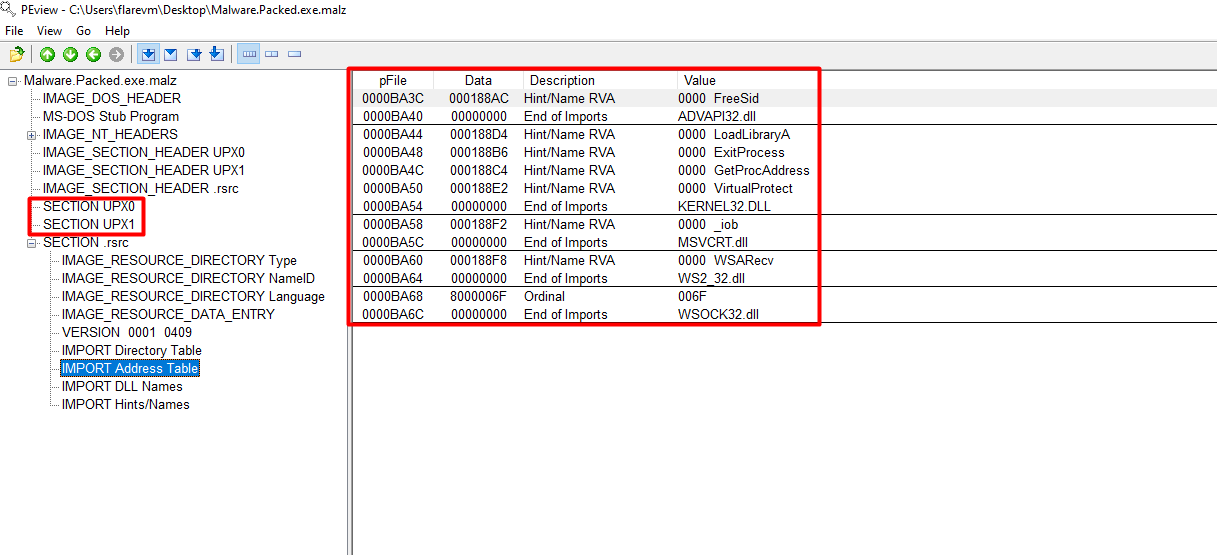
Furthermore, the lack of library imports is very suspicious!
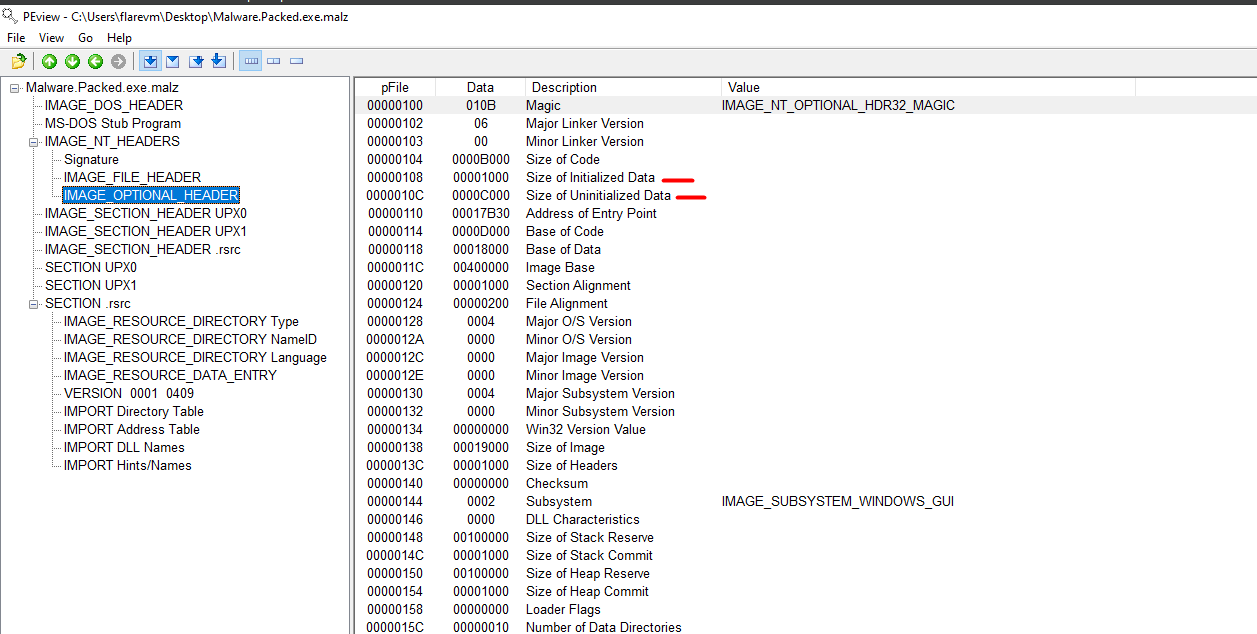
Also, another factor is the difference of size between the Uninitialized and Initialized data (B000 → 130 Kb !!!). Something is definitively weird here, let’s debug everything!
Original Entry Point (OEP)
Open OllyDbg and import the packed sample.
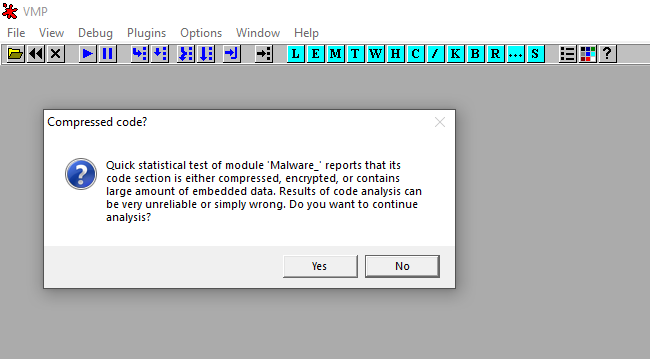
The message tells us that the sample contains a “large amount of embedded data” — let’s dump it!!
The Entry Point here is a PUSHAD instruction at 0x417B30. PUSHAD saves the 32-bit general registers on the stack. The Packer will remove from the stack before proceeding to original code execution.
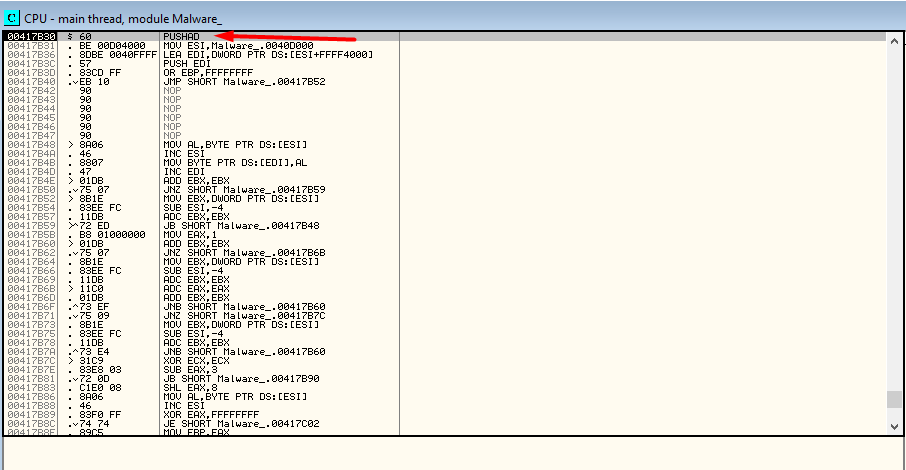
So, here we need to find a POPAD instruction that obviously makes the opposite of PUSHAD. To find it, we need to step over one time the Entry Point and look at the ESP register value. Next, we select “follow in dump” with a right-click on the ESP value to display the contents from the address in ESP. In addition, set a Hardware Breakpoint on access on the first data element on the stack (with right-click).
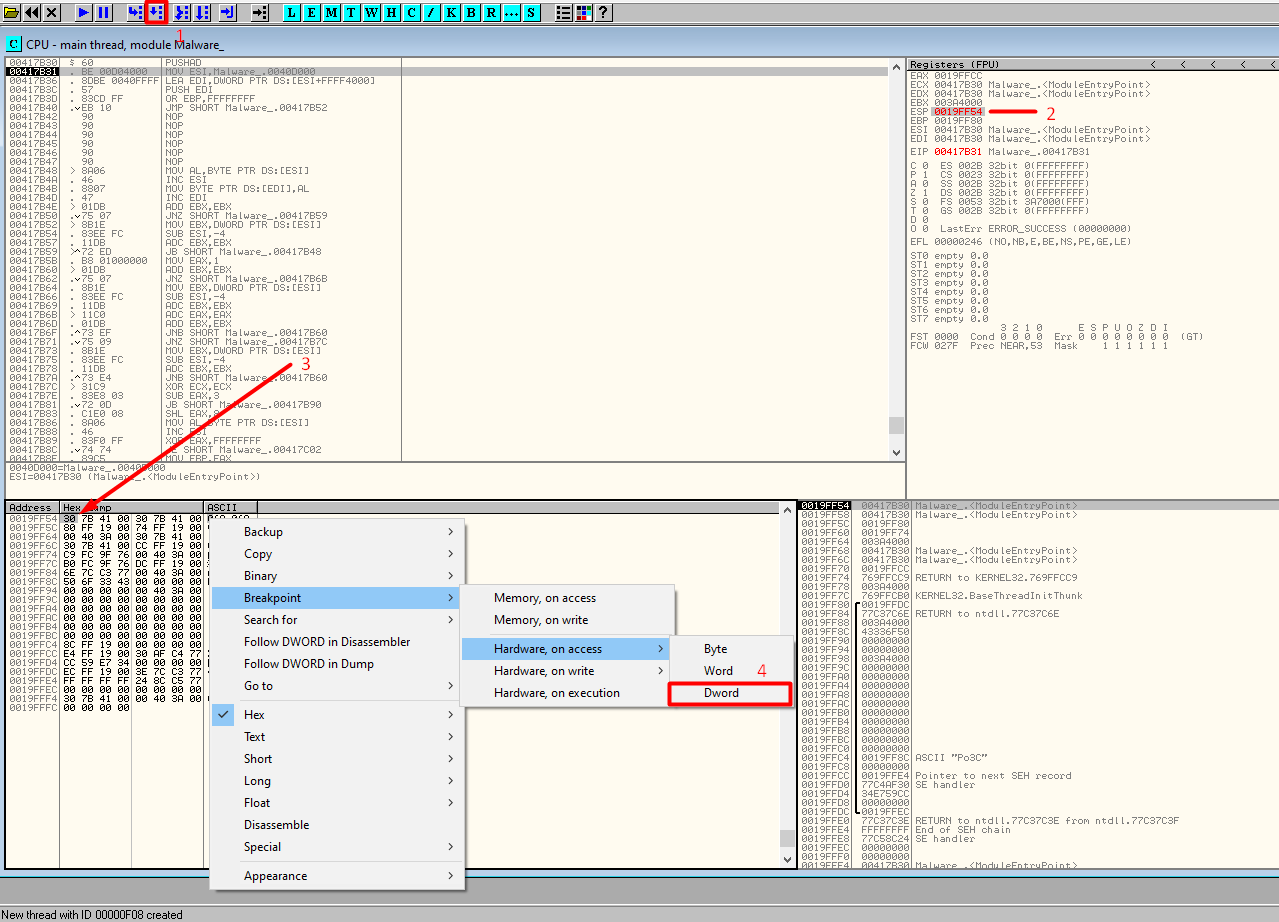
Then we continue the execution of our program and wait until the Hardware Breakpoint is hit.
HIT — we see the POPAD (61) instruction, almost finished!
Next, set a software breakpoint — INT 3 — (Key F2 on the keyboard) on the JMP instruction. This instruction will jump to the Original Entry Point. Resume the execution and once the JMP is hit, step over it!
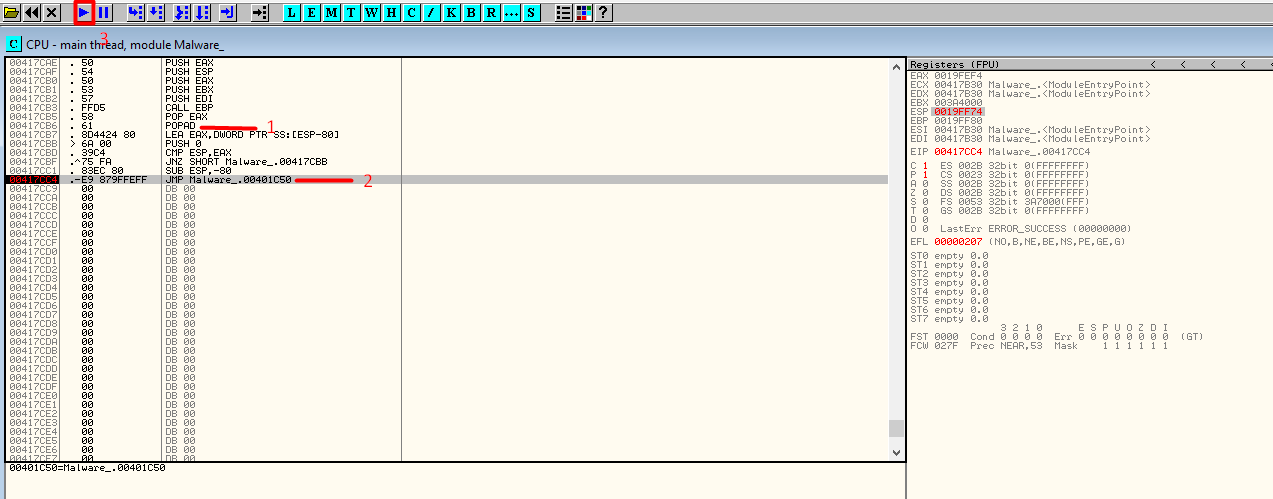
The OEP is at 0x401C50, not so far from the previous entry point (it’s positive).
Now select Plugin → OllyDump → Dump Debugged Process (this will dump the process memory at the OEP). We verify the correct value of OEP and click “Dump”.
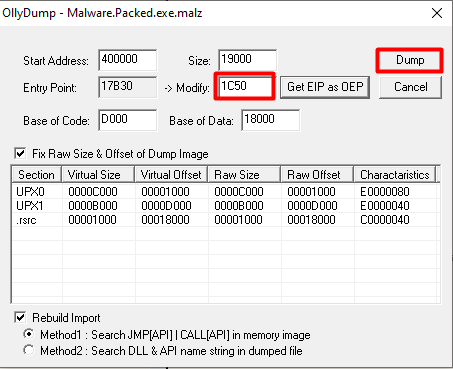
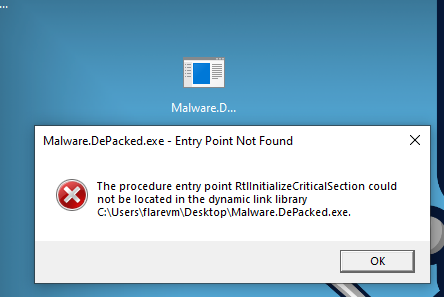
Finished!!!! We can now run our new depacked sample (always in a controlled environment!) and… OH… WAIT…
Import Address Table (IAT)
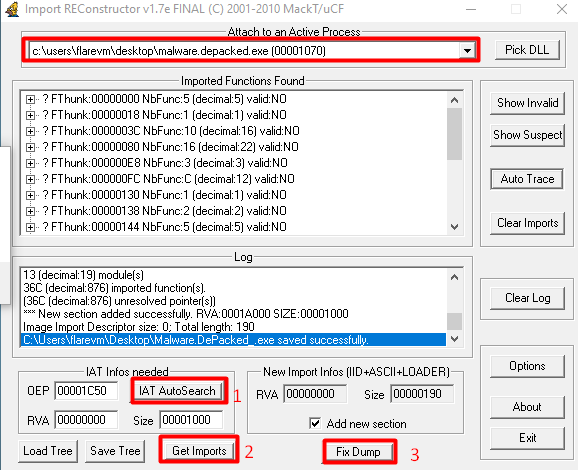
Damn, the import table must be malformed. Open ImportReconstructor and select the current process. Try Import Address Table AutoSearch, then Get Imports, and Fix the previous dumped file.
(I ended up with a lot of error messages, but the table still worked and I was able to run the executable.)
To conclude this post: run your fixed sample and admire the devastating malware…